The quote knowledge is thrown away
Materials, operations and hours are worked out to price the job, then rebuilt from scratch when the job is won.
QPD for Manufacturing
QPD carries your BOM, routing, materials and resource requirements from enquiry straight through to the shop floor — then brings actual time and consumption back against the budget you quoted.
The Problem
Quotes live in spreadsheets, planning lives on whiteboards, the shop floor works from paper, and finance reports the outcome after the fact.
Materials, operations and hours are worked out to price the job, then rebuilt from scratch when the job is won.
Promised dates are based on optimism rather than machine and labour availability across the order book.
Operators receive printed routing, and what actually happened only comes back after the job is finished.
Actual time and material usage aren't measured against the original budget while the job is still live.
The connected journey
Capture the customer, opportunity, requirements and commercial context in one place, ready to move into costing and quotation.
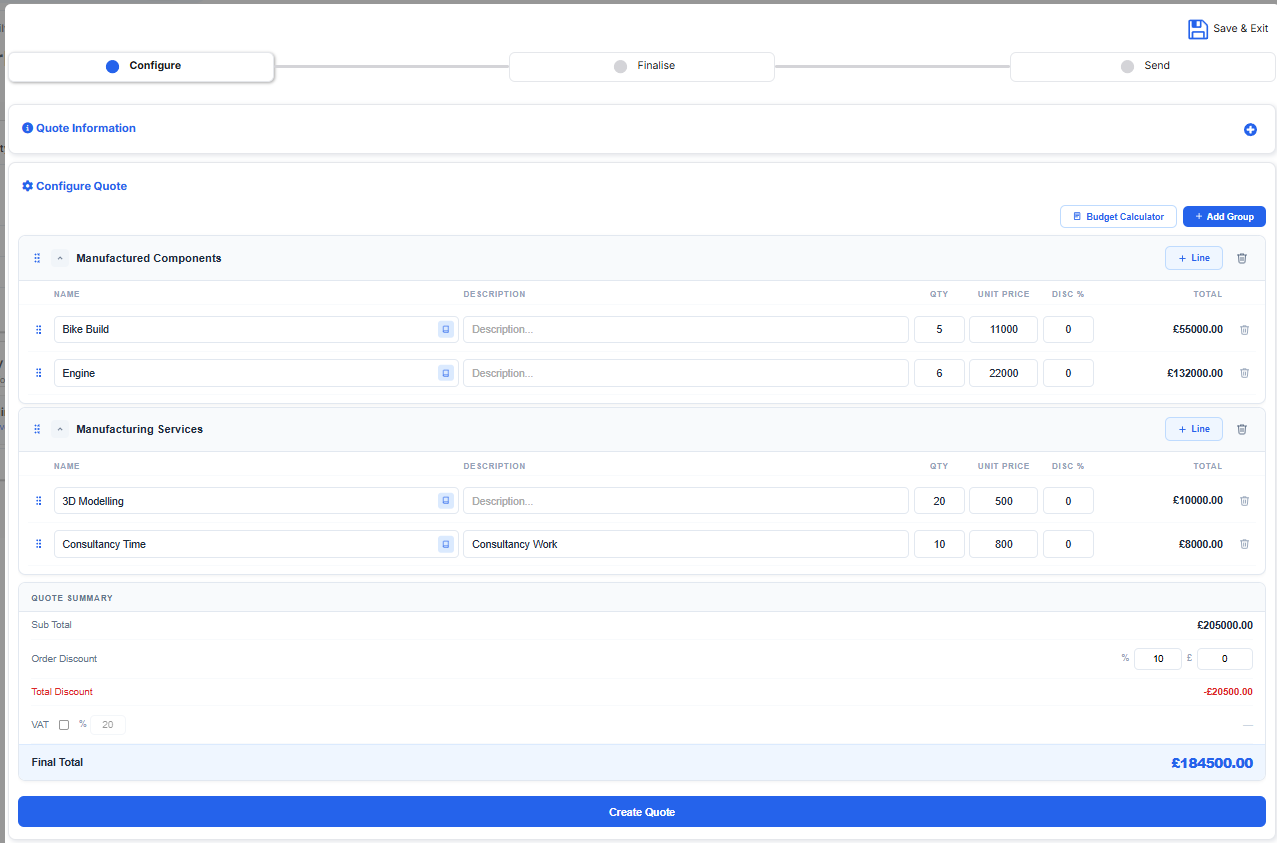
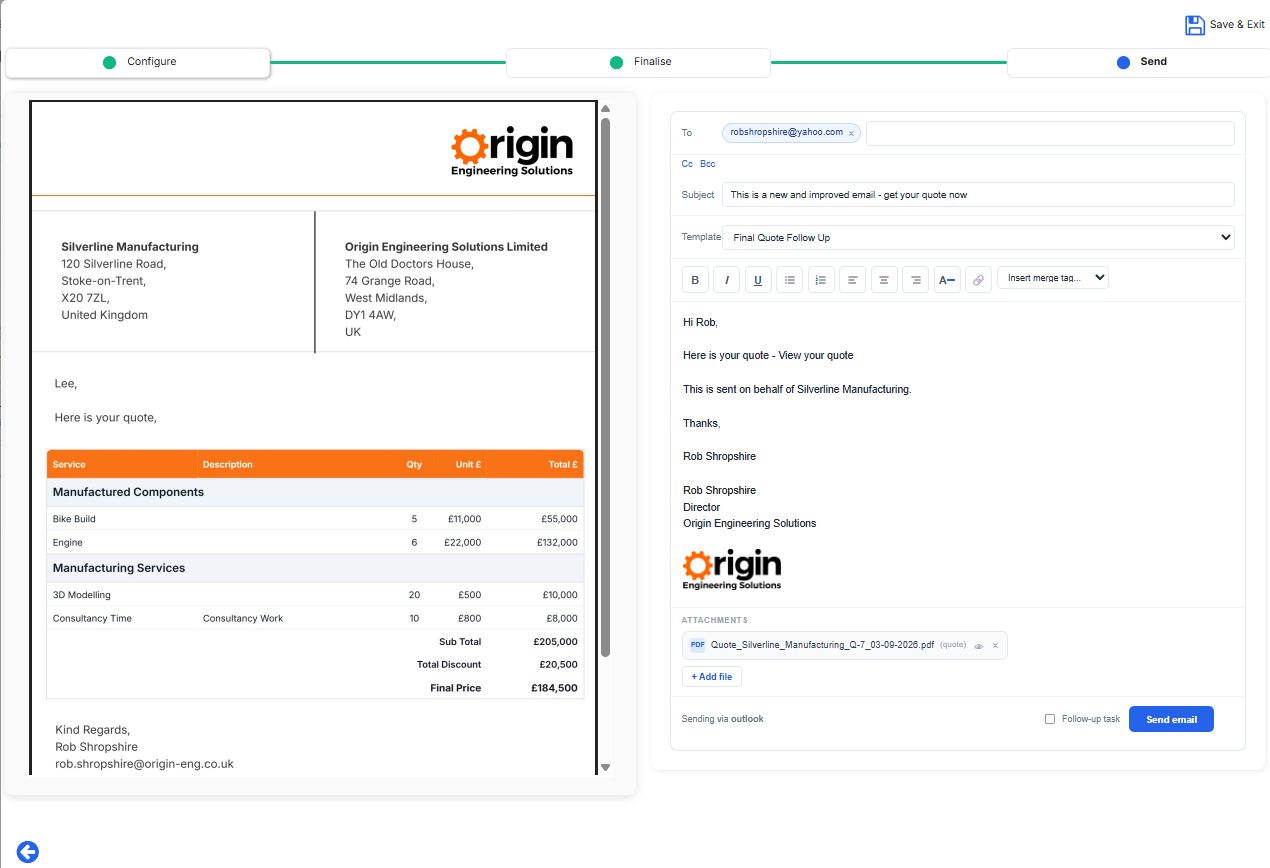
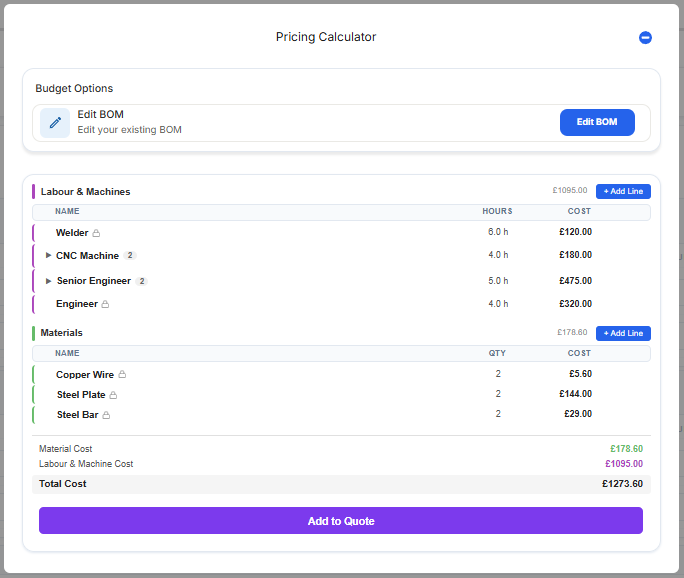
Build the cost behind the selling price using materials and resources, manually or from a reusable or imported BOM, then turn it into a structured customer quote.
Turn won work into a project, carrying the material and resource budget forward into the structure you need for delivery
Sequence operations with dependencies, then assign machines and people against real capacity and shift patterns.
Issue operators the work and routing relevant to them and capture progress, time and material consumption.
Post actual labour and material cost back against budget so job margin is visible while the job is still live.
QPD in manufacturing
Follow the work from the first opportunity through costing, planning and production — with the information created at each stage carried into the next.
Opportunity
Capture the customer, opportunity, activity and commercial context before the job becomes a quote, keeping the commercial history connected to everything that follows.
Costing & quoting
Build the expected cost behind the selling price using configured materials, labour and machines. Cost the work manually, or use deeper Manufacturing Operations capabilities where appropriate, then carry that information into the customer quote.
BOM definition
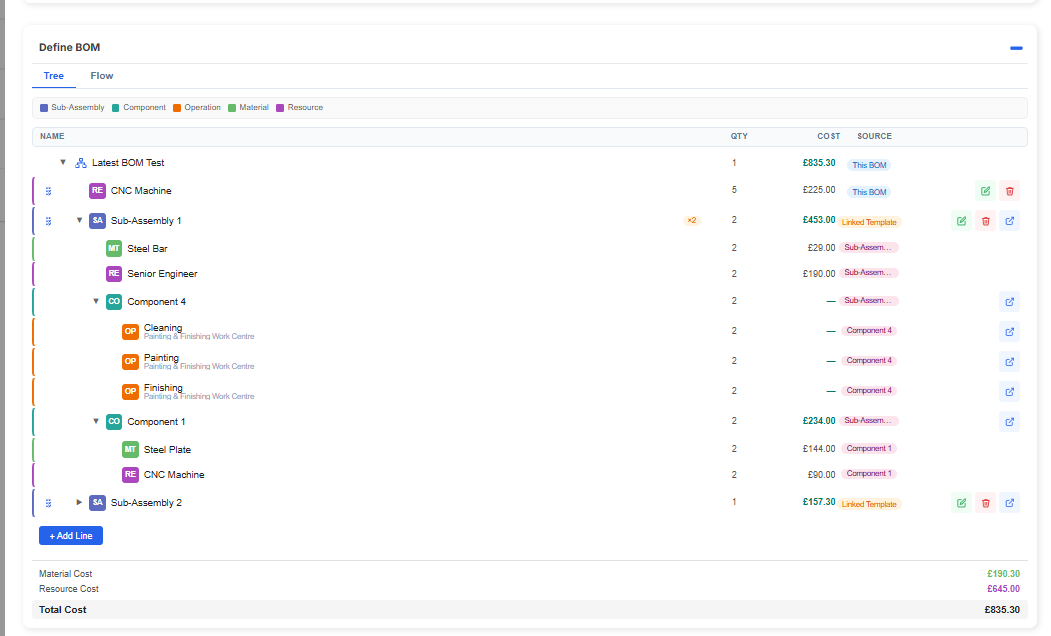
Sub-assemblies, components, operations and materials sit in one tree with quantity, cost and source, so the costed structure is reusable across quotes and jobs.
Part of the Manufacturing Operations Pack
Project creation
Where the job has already been budgeted, carry the material and resource requirements into the project. Where Manufacturing Operations has been used, QPD can use that structure to help build the project. Alternatively, teams can define the project and budget directly.
Real product screenshot to be added
Routing & operations
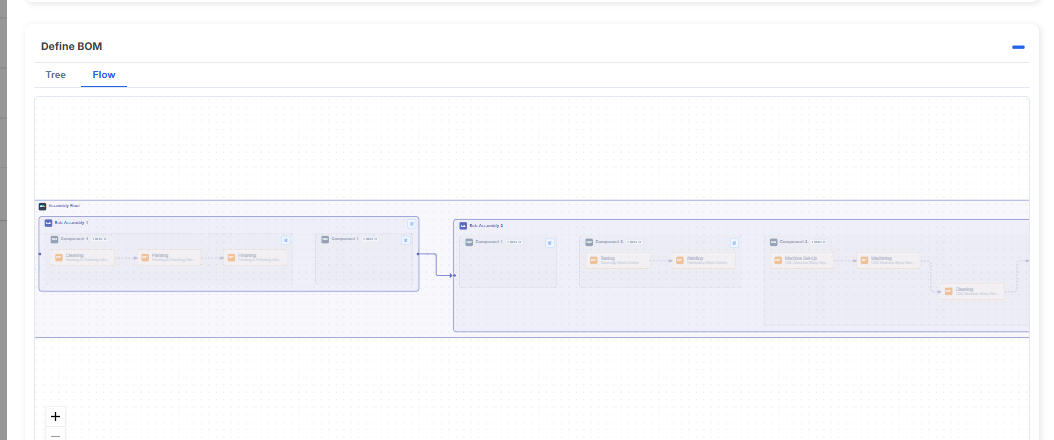
The flow view maps sub-assemblies and components into the sequence they are produced in, so routing, dependencies and hand-offs are explicit before work starts.
Part of the Manufacturing Operations Pack
Capacity & assignment
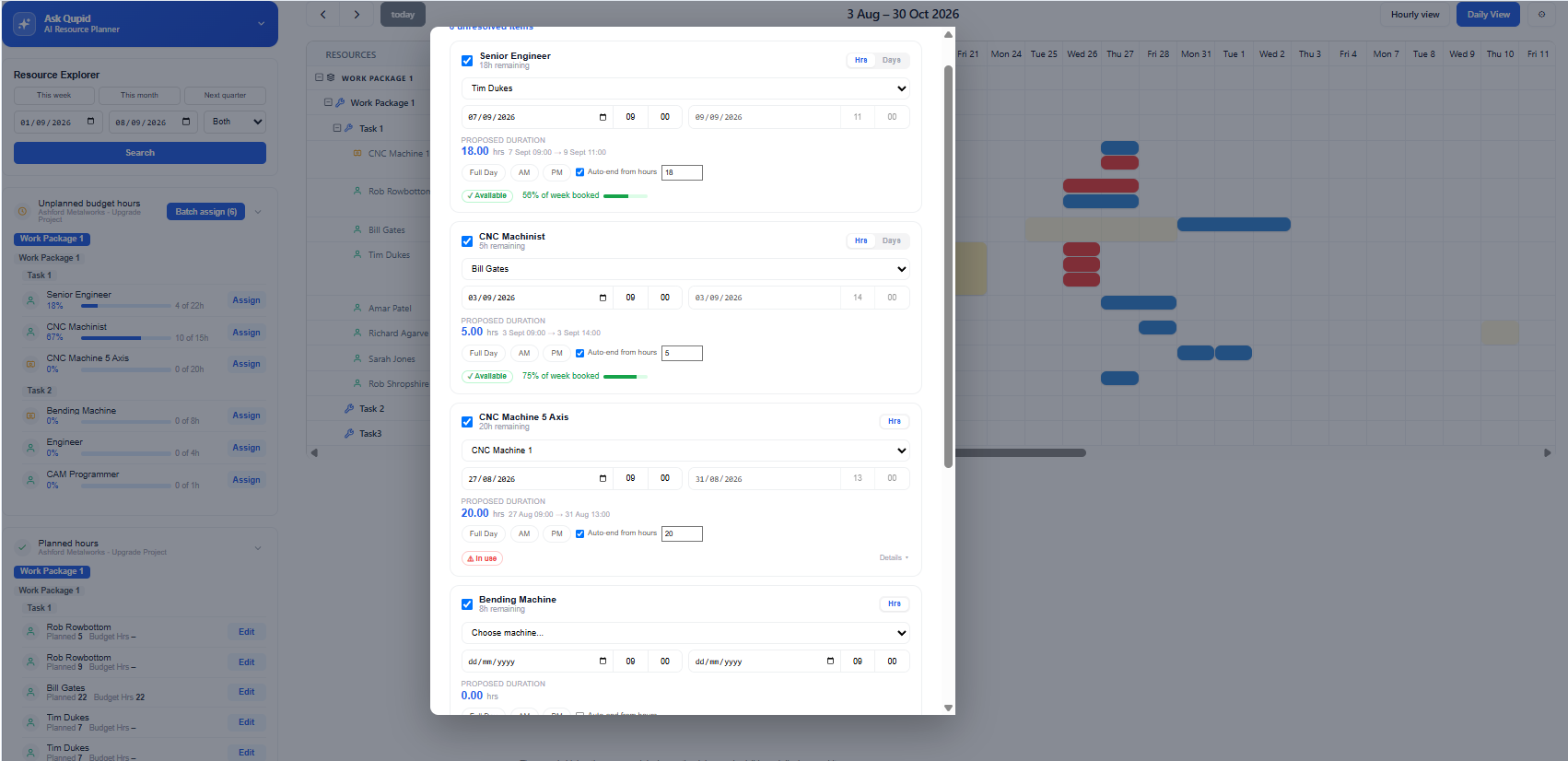
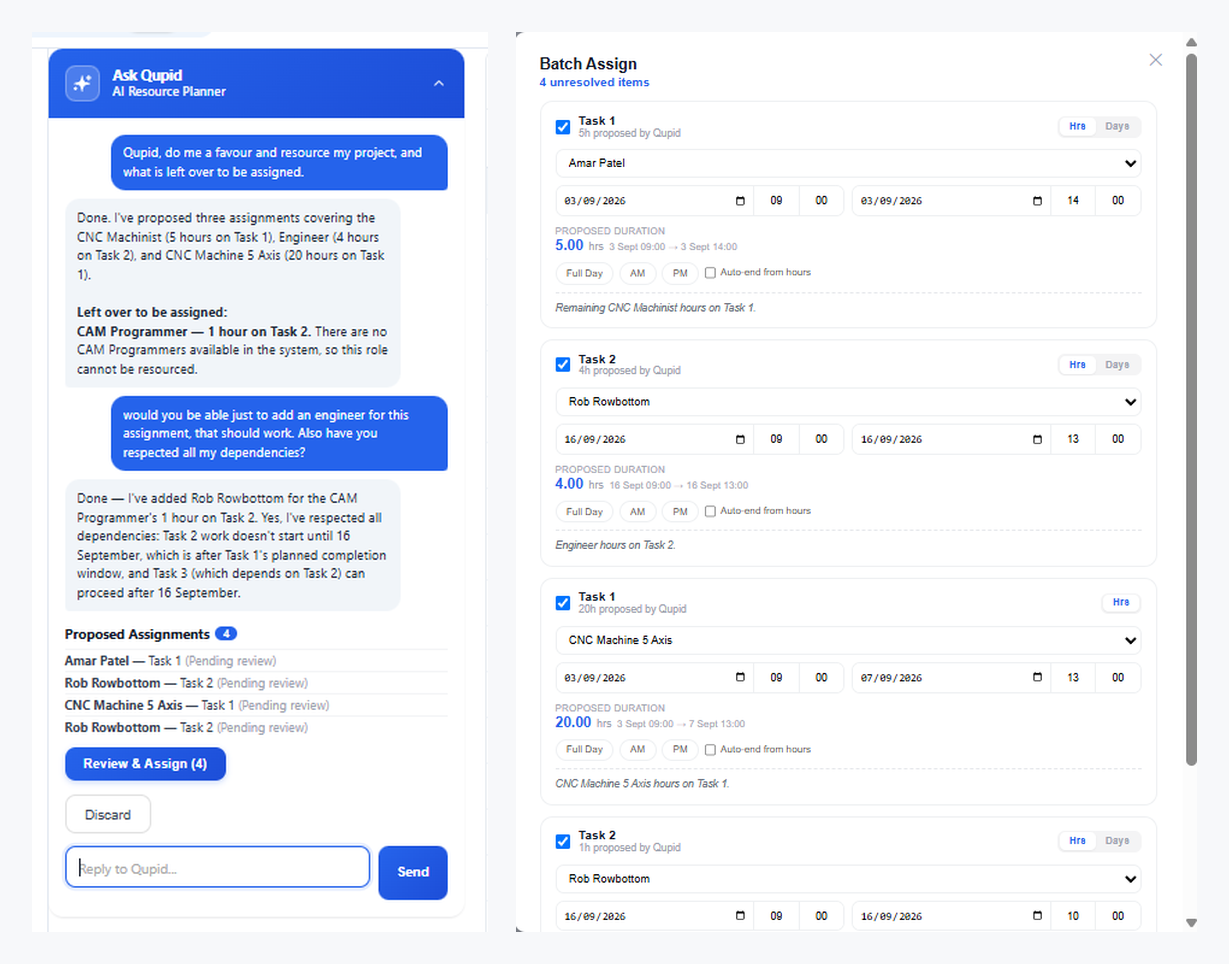
Turn budgeted resource demand into actual assignments while considering capacity, availability, existing commitments, leave and working patterns.
Part of the Advanced Resource Planning Pack
Qupid AI
Qupid works from QPD's structured operational data to propose resource assignments while considering availability, existing commitments, working patterns and dependencies. Proposed assignments are presented for human review rather than automatically committed.
Job cards & delivery
Operators receive the work relevant to them and can capture what actually happened as production progresses.
Real product screenshot to be added
Actuals & margin
Actual labour, machine time and material consumption come back against the project's expected cost, making variance and job performance visible.
Real product screenshot to be added
Reporting & dashboards
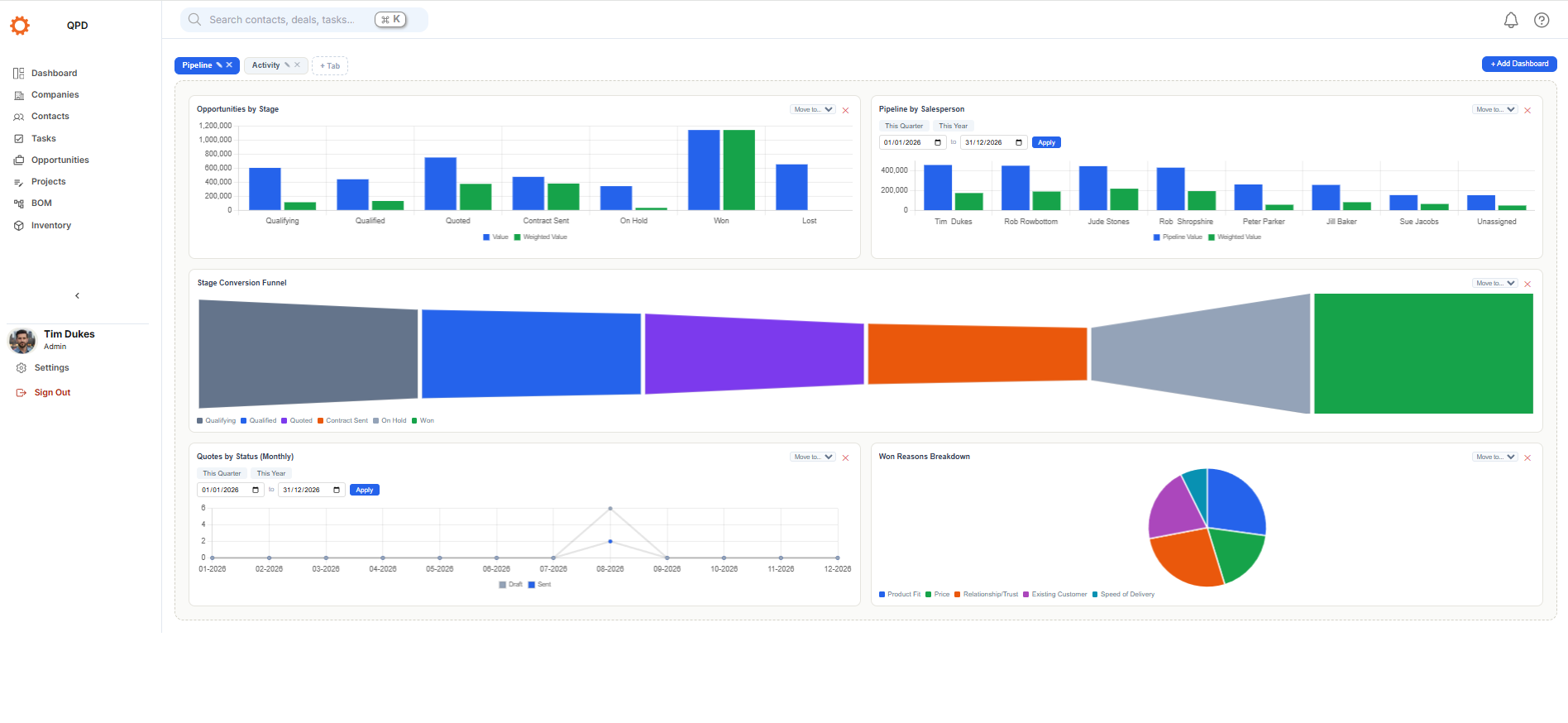
The connected data generated throughout the journey feeds reporting across sales, projects, resources, delivery, cost and margin.
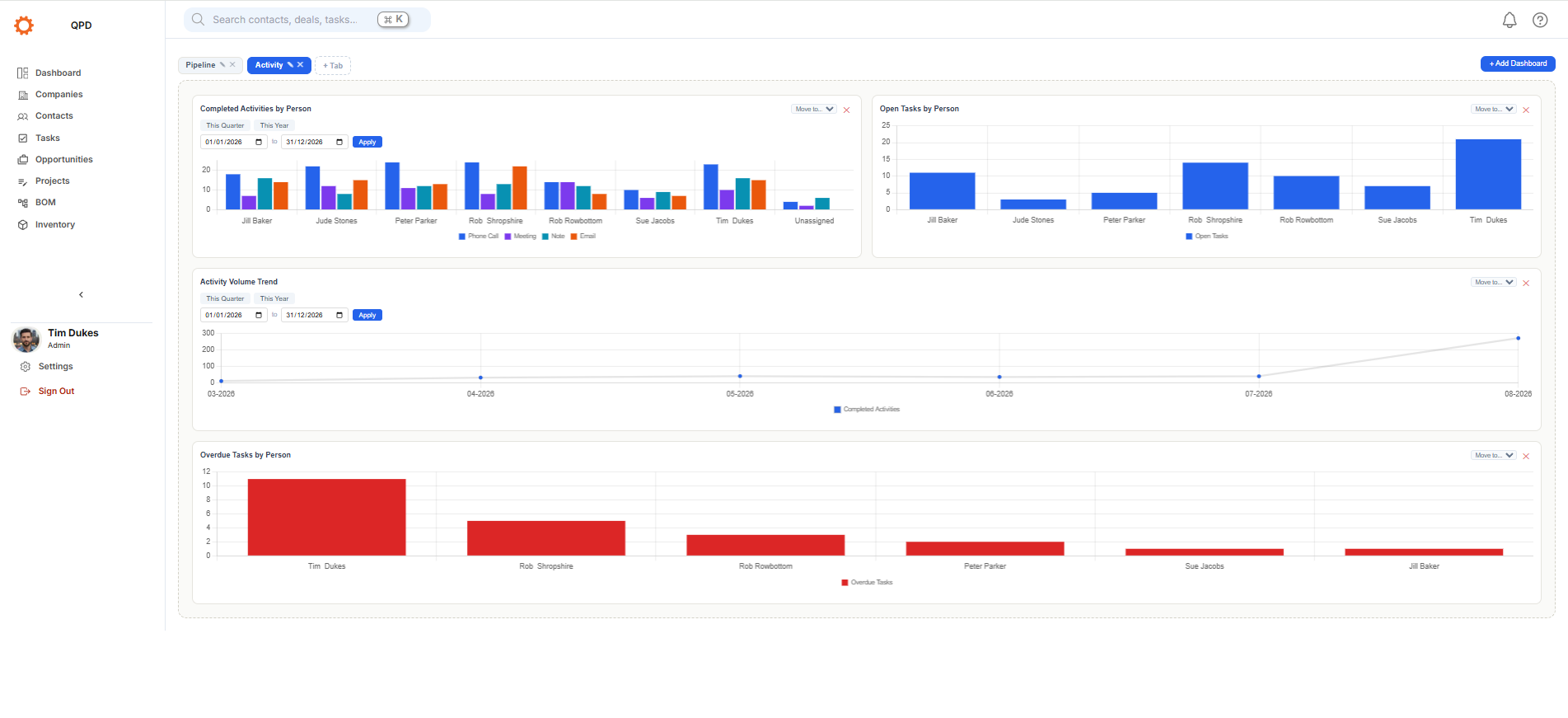
Core QPD covers the connected journey across CRM, quoting and costing, budgeting, projects, delivery, actuals, reporting and Qupid AI. Manufacturing Operations adds deeper BOM and routing capabilities, while Advanced Resource Planning adds capacity-aware planning and assignment across people and machines.
See pricing and packsHAVE A QUESTION?
Find answers about BOMs, manufacturing workflows, machines and resource planning.
View manufacturing FAQsShow us how you quote, plan and deliver work today, and we'll show you how that journey could work in QPD.